Archive
March 2008
-
I ran into an issue the other day while importing data from an Excel file into SQL Server 2005. I had columns that contained fields that have more…
-
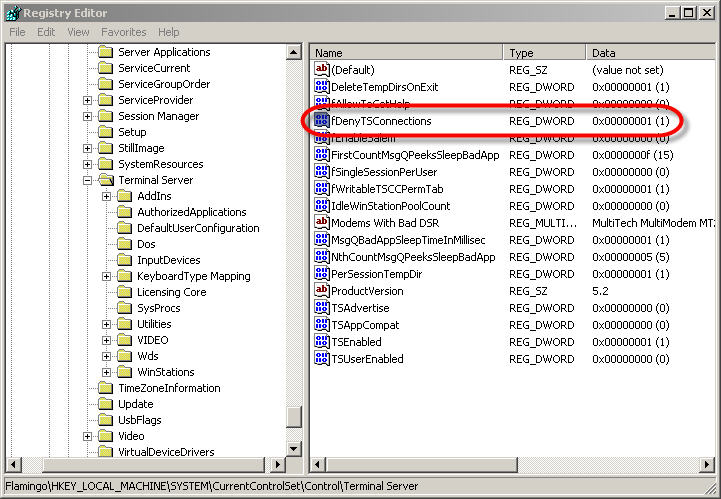
This is a great tip to enable remote desktop: 1. Open the registry editor: Start –> Run –> regedit –> OK 2. Select the Connect Network Registry option…
-

Type ‘gpedit.msc’ at the command line Open this policy and click on ‘Disabled’ and then click ‘OK’. To force this changes instead of rebooting just open a command…